Hyper-Realistic AI Selfie Prompt - Nano Banana Image Prompts

Realistic Photography
Nano Banana
1,614 Views
692 Copies
Hyper-Realistic AI Selfie Prompt - nano banana prompt for gemini ai image generation

Nano Banana Prompt

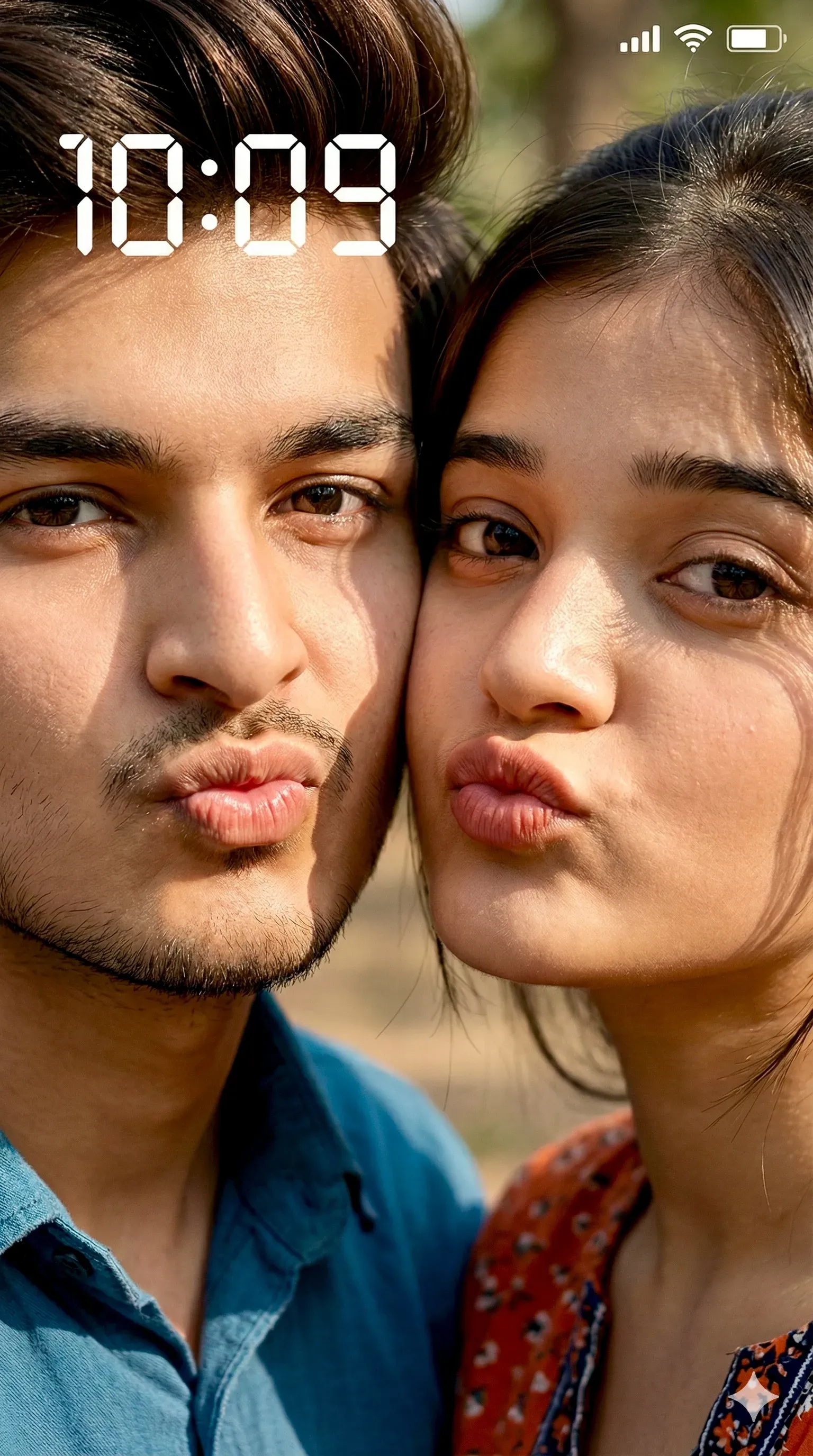
8K hyper-realistic close-up smartphone selfie, extreme close framing, vertical 9:16 ratio. Two young people cheek-to-cheek, both making playful pout lips, natural candid expressions. Real face likeness preserved exactly from reference images, no face morphing, no beautification. Harsh direct sunlight, strong highlights on skin, deep natural shadows, realistic skin texture with visible pores, fine facial hair detail, sharp eyes and lips. Casual outdoor background softly visible, natural daylight environment. Smartphone lock-screen UI visible ONLY with current time (NO date, NO day), realistic phone UI typography, battery, signal and icons aligned naturally, semi-transparent overlay. No beauty filter, no smoothing, no AI look, no cartoon effect. Looks like an authentic real phone selfie, DSLR-level sharpness, cinematic realism, true-to-life skin tones. ZERO VARIATION — pose, faces, camera distance, lighting and UI placement locked.

What this Nano Banana Prompt does

This nano banana prompt is designed to generate high-quality Realistic Photography images using Gemini AI. It helps create detailed, realistic visuals with proper lighting, composition, and styling.

How to use this prompt

Copy the prompt above and paste it into Gemini AI. You can modify small details like lighting, outfit, or background to get different results. These gemini prompts are optimized for fast and consistent image generation.

Why this prompt works

Unlike random prompts, this ai image prompt is structured to guide the AI properly. It improves image quality, reduces errors, and produces more realistic outputs — especially for portraits and social media content.

Popular searches: nano banana prompts for girls, gemini nano prompts for boys, ai photo editing prompts, realistic portrait prompts

How to Use this Workflow

1

Open Gemini

Launch App.

2

Select Model

Nano Banana Pro

3

Paste Code

Copy Prompt above.

4

Upload Pic

For consistency.

Message here